
Gemma 4 Guides
Kimi K2.6 Review: Benchmarks, API, and K2.7 Code Update

Kimi K2.6 Review: Benchmarks, Pricing, API, and Whether It Is Worth Using
Moonshot AI released Kimi K2.6 on April 20, 2026, positioning it as a coding and agentic powerhouse. At launch it was Moonshot's strongest open-weight model; since then, the Kimi line has moved forward with K2.7 Code for coding-first workloads. K2.6 still matters because it pushed the line toward sustained autonomous execution, not just raw benchmark wins.
This review cuts through the launch-day noise and answers three questions: what K2.6 actually is, what it is genuinely good at, and whether you should try it today.
June 2026 update: Kimi's platform now lists K2.7 Code as the stronger coding model. Read K2.6 as an important April 2026 release and existing integration target; for a fresh coding-agent benchmark, include K2.7 Code.

Quick answer
- Release date: April 20, 2026.
- Available via:
kimi.com, the Kimi App, the Moonshot API, and Kimi Code CLI. Open weights on Hugging Face atmoonshotai/Kimi-K2.6. - Architecture: Mixture-of-Experts, ~1T total parameters, ~32B activated per token, 256K context window, native vision/video via the MoonViT encoder, Modified MIT license.
- Best at: long-horizon coding, agentic tool use, multi-agent orchestration ("Agent Swarm"), front-end generation from prompts.
- Not best at: pure math-competition reasoning, ultra-low-latency short chat, workflows where cost predictability matters more than peak capability.
- Verdict: If you already build around K2.6, it remains a serious model. If you are starting a new coding-agent evaluation, test K2.7 Code alongside or before it.
What Kimi K2.6 actually is
Moonshot's own framing: Kimi K2.6 is an open-source, native multimodal agentic model advancing four capabilities — long-horizon coding, coding-driven design, proactive autonomous execution, and swarm-based task orchestration.
The technical shape:
- 1 trillion total parameters, 32 billion activated per token (MoE).
- 256K context window (262,144 tokens precisely on the API pricing page).
- 384 routed experts with 8 active + 1 shared per token.
- MoonViT 400M-parameter vision encoder carried over from K2.5, now with improved training.
- Text, image, and video input (video is flagged experimental and guaranteed only on the official API).
- Thinking and Instant modes (thinking is default).
- Modified MIT license — free for most uses, with an attribution clause for very large deployments.
This is a coding and agent model first, a chat model second. The architecture, the feature prioritization, and the marketing material all point in the same direction.
What changed from K2.5 to K2.6
The gap between K2.5 (January 2026) and K2.6 (April 2026) is under three months. For a model at this scale, that is a fast iteration cycle. The improvements cluster in three areas.
Long-horizon coding reliability. Moonshot's headline demos are about stamina: K2.6 autonomously optimizing local inference of Qwen3.5-0.8B on a Mac in Zig — a niche systems language — across more than 12 hours and 4,000+ tool calls, ending up about 20% faster than LM Studio. A second demo has K2.6 refactoring exchange-core, an eight-year-old open-source financial matching engine, over 13 hours and 12 optimization passes, delivering roughly 185% medium-throughput gain. These are self-reported — treat them as capability ceilings, not guaranteed outcomes — but they point at a meaningful shift: drift and instruction collapse at long horizons are the thing that got better.
Agent Swarm scaled up. Where K2.5 coordinated roughly 100 sub-agents across 1,500 steps, K2.6 scales to 300 sub-agents across 4,000 coordinated steps. K2.6 acts as the coordinator, assigning tasks based on agent skill profiles, detecting stalls, and regenerating subtasks on failure. The launch also introduces Claw Groups (research preview) — a framework where heterogeneous agents from any device, running any model, can join a shared operational space.
Frontend and basic full-stack generation. K2.6's "coding-driven design" pitch includes spinning up complete websites from natural-language prompts, pulling in image and video generation tools to keep visuals consistent, and handling basic full-stack tasks like signups, database ops, and session management.
Instruction following. Less flashy, but independent reviewers have consistently flagged sharper instruction-following as the most immediately noticeable day-to-day improvement over K2.5.
Kimi K2.6 benchmark snapshot
These numbers all come from Moonshot's own evaluation reports. They are the company's positioning, not independent replication — useful for orientation, not as a settled verdict.
Agentic
- Humanity's Last Exam (HLE-Full) with tools: 54.0 (ahead of Claude Opus 4.6 at 53.0 and GPT-5.4 xhigh at 52.1 in Moonshot's comparison table).
- BrowseComp: 83.2.
- DeepSearchQA (F1): 92.5.
- Toolathlon: 50.0.
Coding
- SWE-Bench Pro: 58.6 (vs Moonshot's reported 57.7 for GPT-5.4 xhigh, 53.4 for Claude Opus 4.6 max effort, 54.2 for Gemini 3.1 Pro thinking high, and 50.7 for K2.5).
- SWE-Bench Verified: 80.2.
- SWE-Bench Multilingual: 76.7.
- LiveCodeBench v6: 89.6.
- Terminal-Bench 2.0 (Terminus-2 harness): 66.7.
Vision
- Charxiv with Python: 86.7.
- Math Vision with Python: 93.2.
- V*: 96.9.
A reasonable way to read this: K2.6 is genuinely competitive with frontier closed-source models on coding and agent benchmarks, leads several of them in Moonshot's comparisons, and trails on pure-reasoning benchmarks like AIME-style math and GPQA-Diamond where models with heavier reasoning pretraining still have an edge. Benchmark harness choice (tools available, retries, context-management strategy) can move agent scores by several points, so independent scoreboards may land a little differently than Moonshot's table.
How good is Kimi K2.6 for coding?
Where K2.6 fits well:
- Complex multi-step coding that involves reading a codebase, planning changes, editing across files, running tests, and iterating. This is the scenario Moonshot optimized for, and it shows.
- Front-end generation from natural-language or visual prompts — the MoonViT encoder lets you paste a screenshot and get working markup.
- Agentic coding through CLIs like Claude Code, Codex, OpenCode, OpenClaw, and Kimi Code itself. Integrations are first-class.
- Long-context work — loading a mid-size codebase into the 256K window in a single prompt is practical.
- Non-English comments and documentation, particularly Chinese. Kimi was built with Chinese as a first-class language and the English capability has caught up.
Where K2.6 is less well-suited:
- Simple single-function completion where a faster, cheaper, short-context model does the job.
- Workloads that need predictable fixed cost. K2.6's pricing rewards caching and punishes long reasoning traces; if your usage pattern doesn't cache well, cost can surprise you.
- Tight low-latency chat. Thinking mode is on by default and adds reasoning tokens to every response — great for correctness, bad for round-trip time.
A quick fit heuristic:
| Workload | K2.6 fit |
|---|---|
| Autonomous multi-hour coding agent | Excellent |
| Copilot-style autocomplete | Overkill |
| Vision-to-code from mockups | Strong |
| Long-document analysis | Strong |
| Real-time chat widget | Weak (latency) |
| Math competition solving | Good but not top tier |
| Data pipeline with identical prompts | Excellent (caching) |
API, pricing, and deployment options
K2.6 ships through several channels, each with a different tradeoff.
Moonshot API. OpenAI-compatible at https://api.moonshot.ai/v1. Kimi's global pricing page now lists K2.6 at $0.16 / MTok cache hit, $0.95 / MTok input, and $4.00 / MTok output. It also lists K2.7 Code at $0.19 / MTok cache hit, $0.95 / MTok input, and $4.00 / MTok output. If your account uses a China/RMB console, verify local billing there. Rate limits and tool fees such as web search are account- and policy-dependent, so check the live platform pages before production sizing.
Hugging Face. Open weights at moonshotai/Kimi-K2.6 under a Modified MIT license. Recommended inference engines in the official deploy guide are vLLM, SGLang, and KTransformers. The model card also covers multimodal input, tool-calling, and how to preserve reasoning_content across agent turns.
Ollama. Official library entry kimi-k2.6:cloud — a cloud-routed model, not local weights. Works with Claude Code, Codex, OpenCode, and OpenClaw via ollama launch.
Kimi Code. Moonshot's own terminal coding agent, powered by K2.6 for subscribers.
kimi.com and Kimi App. Consumer chat and agent surfaces with their own free and paid tiers.
For most teams, the decision is: Moonshot API for production, Ollama cloud for quick experimentation, Hugging Face + vLLM/SGLang for serious self-hosted deployments with real GPU budget (the full BF16 weights are well over a terabyte).
Who should use Kimi K2.6
Five profiles where K2.6 is a genuinely good fit:
- Agent developers. If your product is a coding agent, an autonomous research agent, or any system that chains hundreds of tool calls, K2.6 was built for this shape of workload.
- Coding-tool users. Integrations with Claude Code, Codex, OpenCode, OpenClaw, and Kimi Code are first-party. Swapping K2.6 in as a backing model is one command.
- Vision-to-code workflows. The native MoonViT encoder gives you screenshot-to-code and image-to-UI without adding a separate vision model.
- Teams with long-document pipelines. 256K context plus aggressive caching makes RAG-style and full-codebase workflows economical if prompts are structured well.
- Chinese / bilingual teams. Kimi's Chinese language capability is a real and persistent advantage over most Western-built models.
Who should skip it
- Teams optimizing purely for cheapest API tokens. The cache-hit rate is competitive, but K2.6/K2.7 Code are not automatically the cheapest choices for short answers.
- Products that need text-only, fixed, predictable cost. K2.6 rewards caching and agent patterns; a simpler dense model with stable pricing may fit better.
- Workflows where you need strict separation between cloud and on-prem. Cloud integrations (Ollama cloud, Moonshot API) require connectivity; only the Hugging Face self-host path is fully private, and that needs serious hardware.
- Teams without time to tune thinking mode, tool-calling settings, and caching patterns. K2.6 rewards careful configuration. If you want a black-box "it just works" model, you will pay more than you need to.
Final verdict
Kimi K2.6 is one of the most serious open-weight releases of 2026. On Moonshot's own numbers, it is competitive with or ahead of GPT-5.4 and Claude Opus 4.6 on the coding and agent benchmarks that matter most for autonomous workflows — and it does so while staying open-weight with a permissive license. The long-horizon stamina demos are unusually specific for a launch, which raises confidence that the capability is there and not just benchmark-tuned.
The honest caveats: the benchmark comparisons are self-reported, independent harnesses will move the numbers around, and day-to-day reliability over a 12-hour run varies with your actual task. The pricing is reasonable but rewards careful prompt design rather than casual usage.
If you are building around coding agents or long-running autonomous workflows in 2026, K2.6 deserves a real evaluation — but it should no longer be your only Kimi benchmark. Test K2.7 Code for coding-first workloads, then compare cost-per-task and reliability. Next stops: grab an API key (see our pricing guide), or if you want to go through Ollama, the Ollama setup guide takes about five minutes. For self-hosting via Hugging Face, the deployment guide walks through vLLM and SGLang.
FAQ
What is Kimi K2.6? Kimi K2.6 is Moonshot AI's open-weight, natively multimodal agentic model released on April 20, 2026. It is a ~1T-parameter MoE model with ~32B active parameters, a 256K context window, and native text/image/video input. It is positioned for long-horizon coding and agent orchestration.
Is Kimi K2.6 good for coding? On Moonshot's reported benchmarks it is competitive with GPT-5.4 and Claude Opus 4.6 on SWE-Bench Pro (58.6), SWE-Bench Verified (80.2), and LiveCodeBench v6 (89.6), and it is built specifically for long-horizon autonomous coding. It shines on multi-step, multi-file tasks and agent loops. It is overkill for simple autocomplete.
Does Kimi K2.6 support images and video? Yes. Image input is supported everywhere K2.6 is served. Video input is supported on the official Moonshot API and flagged as experimental for third-party deployments using vLLM or SGLang.
Does Kimi K2.6 have an API?
Yes, at https://api.moonshot.ai/v1. It is OpenAI-compatible — any OpenAI SDK works as a drop-in client by changing the base URL and key.
How much does Kimi K2.6 cost? Kimi's global pricing page lists K2.6 at $0.16 / MTok for cache hits, $0.95 / MTok for input, and $4.00 / MTok for output. K2.7 Code is listed at $0.19 / MTok for cache hits, $0.95 / MTok for input, and $4.00 / MTok for output. Tool fees and rate limits should be checked in the live console.
Can you use Kimi K2.6 in Ollama?
Yes, through the kimi-k2.6:cloud entry in the official Ollama library. It is a cloud model — the weights are not downloaded locally — but it works with Claude Code, Codex, OpenCode, and OpenClaw via ollama launch.
Is Kimi K2.6 open source? The weights are published on Hugging Face under a Modified MIT license. The "modified" part is a visible-attribution clause for very large deployments (above roughly 100M monthly active users or $20M monthly revenue). For nearly all teams the license is effectively permissive.
Related guides
Continue through the Gemma 4 cluster with the next guide that matches your current decision.
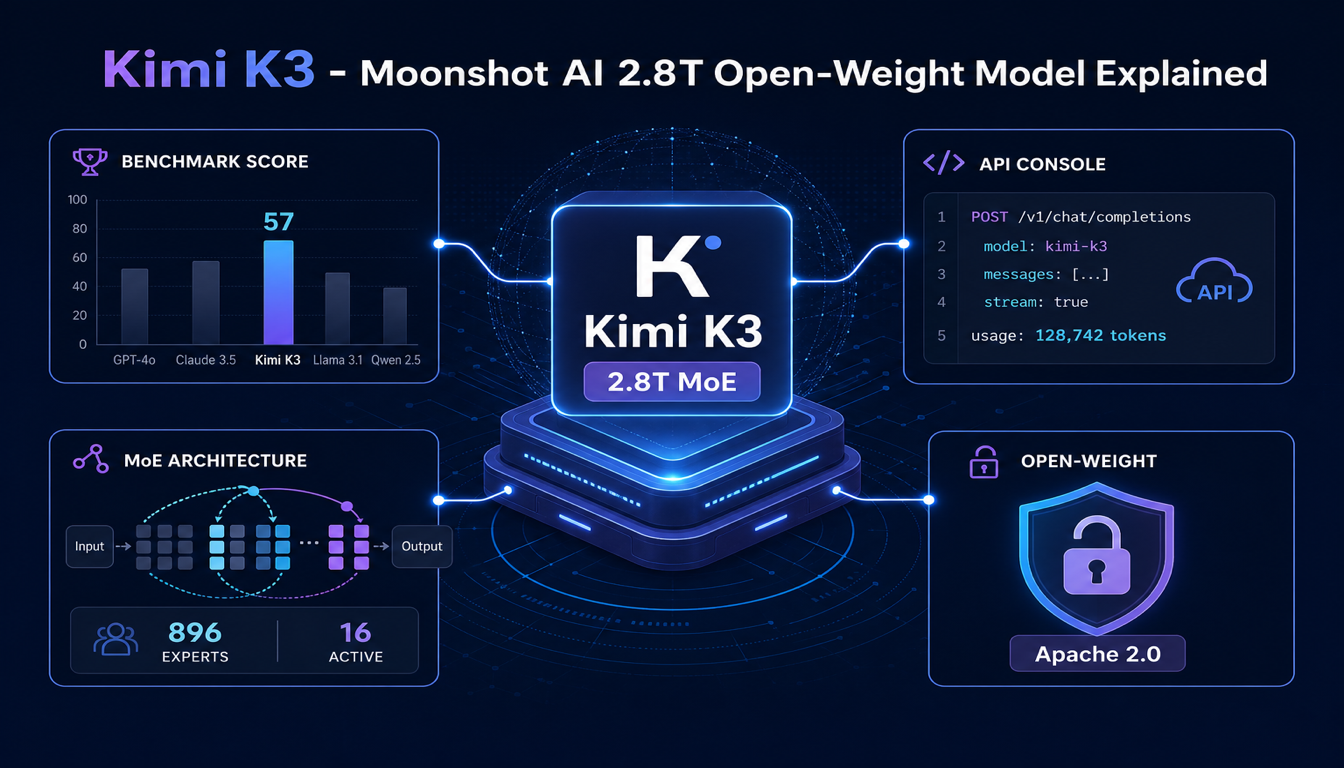
Kimi K3: Moonshot AI's 2.8T Open-Weight Model Explained
Moonshot AI's Kimi K3 launched July 16, 2026 as a 2.8-trillion-parameter open-weight model that beats Claude Opus 4.8 on several benchmarks. Here is what it actually is, what's still missing, and how to try it today.
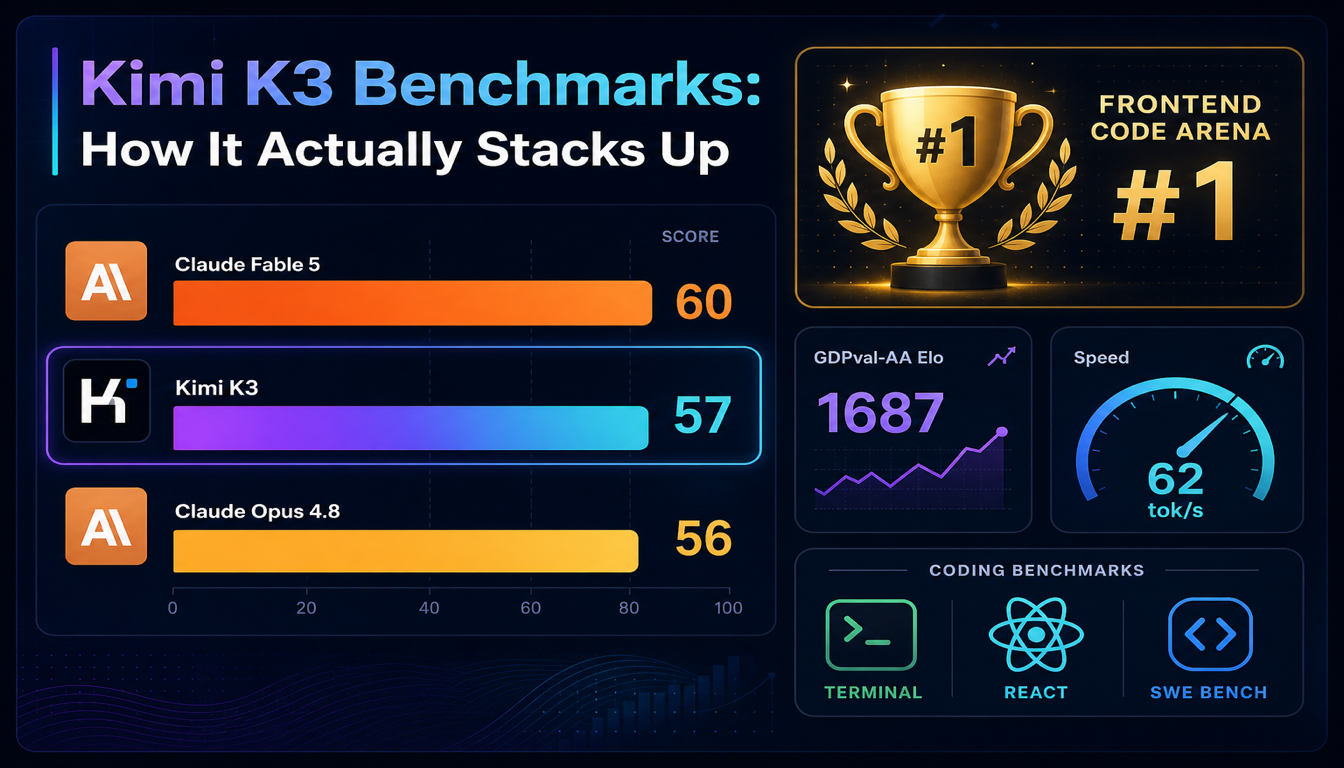
Kimi K3 Benchmarks: How It Actually Stacks Up
Kimi K3 hit #1 on LMArena's Frontend Code Arena and beat Claude Opus 4.8 on the Artificial Analysis Intelligence Index within a day of launch. Here's what the numbers actually say — and where they don't tell the whole story.

Kimi K2.6 API Key and Pricing: Updated for K2.7 Code
Current Kimi API pricing for K2.6 and K2.7 Code, what cached input means, how rate limit tiers work, and what to verify before budgeting a coding or agent workflow.
Still deciding what to read next?
Go back to the guide hub to browse model comparisons, setup walkthroughs, and hardware planning pages.