
Gemma 4 Guides
How to Run GLM-5.2 in Ollama: Cloud Tag, Local Setup & API Guide
Quick Answer
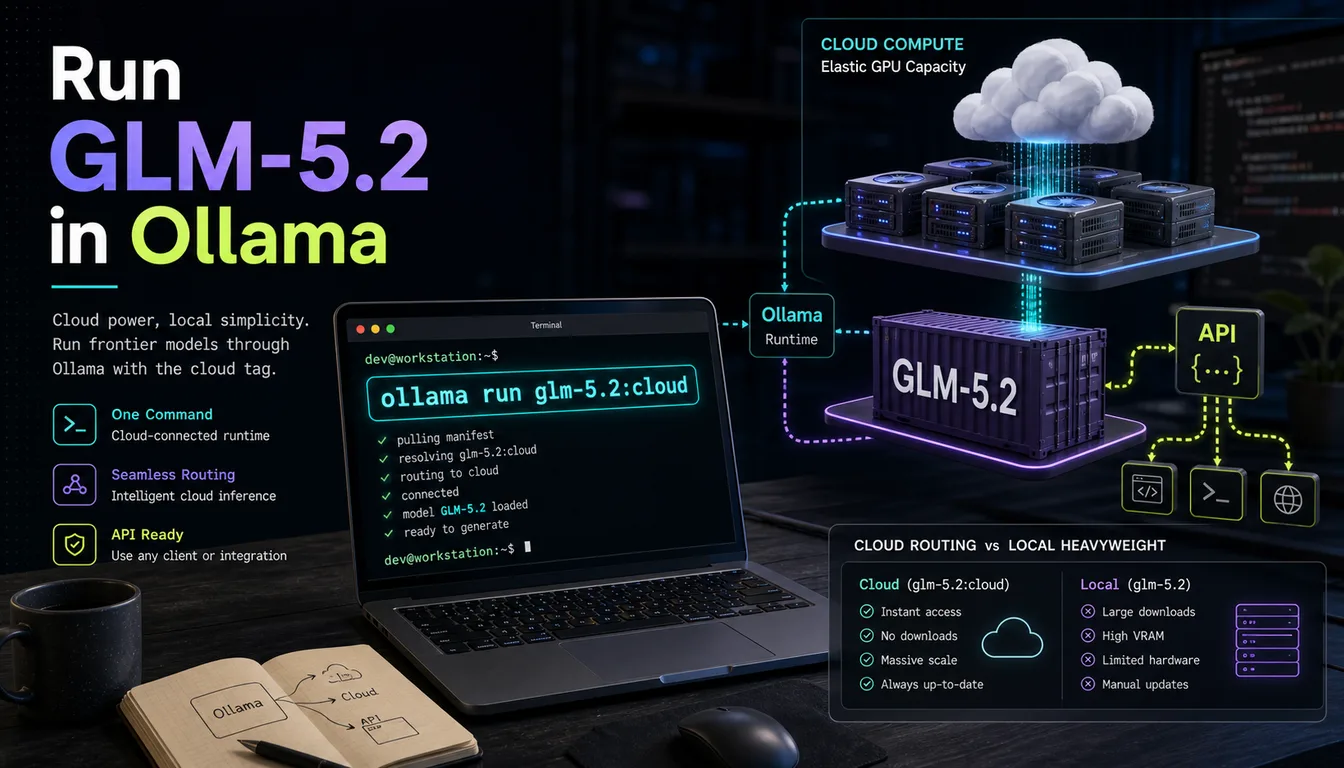
Yes, you can run GLM-5.2 in Ollama. The official Ollama library lists GLM-5.2 under the glm-5.2:cloud tag, which routes inference through Z.ai's hosted infrastructure via Ollama's unified interface — so you get the full Ollama developer experience without needing to download 241+ GB of model weights locally. The fastest way to get started:
ollama run glm-5.2:cloud
If you want to run GLM-5.2 entirely on your own hardware, that requires significant RAM (256 GB+ for the smallest quantization). That path is covered in the hardware section below.
Prerequisites
Before running GLM-5.2 in Ollama, make sure you have the following in place.
Ollama installed and up to date
GLM-5.2 requires a recent version of Ollama. Install or update it:
# macOS (Homebrew)
brew install ollama
# or update
brew upgrade ollama

# Linux
curl -fsSL https://ollama.com/install.sh | sh

# Windows
# Download the installer from https://ollama.com/download
Check your installed version:
ollama --version
Internet connection (for the cloud tag)
The glm-5.2:cloud tag routes requests to Z.ai's inference API. You need an active internet connection and an Ollama account for cloud model access. Sign in at ollama.com if you have not already.
Hardware requirements
| Run mode | Minimum | Recommended |
|---|---|---|
glm-5.2:cloud (hosted) |
Any modern machine | Any modern machine |
| Local 2-bit (UD-IQ2_XXS) | 256 GB unified memory | M4 Ultra Mac Studio / workstation |
| Local 4-bit (Q4_K_M) | 500+ GB RAM | Multi-GPU server |
| Local full precision (FP16) | 1.7 TB | Enterprise cluster |
For most developers, glm-5.2:cloud is the practical choice. Local deployment is covered separately in the variants section.
Step-by-Step: Run GLM-5.2 in Ollama
Step 1: Install or update Ollama
Run the appropriate install command for your platform (see Prerequisites above). Confirm the installation:
ollama --version
You should see a version number printed. If the command is not found, the install did not complete — re-run the install script.
Step 2: Pull the GLM-5.2 model
Pull the model before running it. This caches the configuration locally (for the cloud tag, no large weights are downloaded):
ollama pull glm-5.2:cloud
Step 3: Run the model
Start an interactive chat session:
ollama run glm-5.2:cloud
Ollama will open a prompt where you can type messages directly. Press Ctrl+D or type /bye to exit.
Step 4: Test with an example prompt
Once the session is open, try a quick test to confirm everything is working:
>>> Write a Python function that reads a CSV file and returns a list of dictionaries.
GLM-5.2 is optimized for long-horizon coding tasks, so it handles detailed engineering prompts well. You can also test its 976K context window with larger inputs.
Available GLM-5.2 Model Variants in Ollama
As of June 2026, the Ollama library lists the following tag for GLM-5.2:
| Tag | Type | Context window | Best for |
|---|---|---|---|
glm-5.2:cloud |
Hosted (Z.ai inference) | 976K tokens | Most developers — no local hardware requirements |
Note: At publish time, there is no
glm-5.2:latestor quantized local tag on the official Ollama library. Check ollama.com/library/glm-5.2/tags for the most current list — local quantized tags may be added after this article was written.
Running GLM-5.2 fully locally (advanced)
GLM-5.2 is a 744-billion-parameter Mixture-of-Experts model with approximately 40 billion active parameters per token. The model ships with an MIT license and open weights. For local inference outside Ollama's cloud tag, the GGUF quantized versions from Unsloth are the most accessible path:
| Quantization | Disk size | Minimum memory |
|---|---|---|
| UD-IQ2_XXS (2-bit dynamic) | ~241 GB | 256 GB unified |
| UD-IQ2_M (2-bit dynamic) | ~239 GB | 256 GB unified |
| UD-Q4_K_XL (4-bit dynamic) | ~476 GB | 500+ GB |
These sizes make GLM-5.2 practical only on high-end hardware: Apple M4 Ultra Mac Studio (192 GB or higher configuration), or a workstation with multiple GPUs and large system RAM. For most developers, glm-5.2:cloud through Ollama is the right starting point.
Using GLM-5.2 with the Ollama API
Once GLM-5.2 is running (either pulled or launched with ollama run), Ollama exposes a local REST API at http://localhost:11434. The API is OpenAI-compatible, which means any tool that works with OpenAI's API also works with Ollama.
curl — generate endpoint
curl http://localhost:11434/api/generate \
  -H "Content-Type: application/json" \
  -d '{
    "model": "glm-5.2:cloud",
    "prompt": "Write a Dockerfile for a Node.js app with multi-stage builds.",
    "stream": false
  }'
curl — OpenAI-compatible chat endpoint
curl http://localhost:11434/v1/chat/completions \
  -H "Content-Type: application/json" \
  -d '{
    "model": "glm-5.2:cloud",
    "messages": [
      {"role": "system", "content": "You are an expert software engineer."},
      {"role": "user", "content": "Explain the difference between a process and a thread."}
    ]
  }'
Python — Ollama library
from ollama import chat

response = chat(
    model='glm-5.2:cloud',
    messages=[
        {'role': 'user', 'content': 'Review this Python code and suggest improvements.'}
    ],
)
print(response.message.content)
Python — OpenAI SDK (drop-in compatible)
from openai import OpenAI

client = OpenAI(
    base_url="http://localhost:11434/v1",
    api_key="ollama",  # required by SDK, not used by Ollama
)

response = client.chat.completions.create(
    model="glm-5.2:cloud",
    messages=[
        {"role": "system", "content": "You are a senior software engineer."},
        {"role": "user", "content": "Write a SQL query to find duplicate rows in a table."}
    ]
)
print(response.choices[0].message.content)
JavaScript
import ollama from 'ollama'

const response = await ollama.chat({
  model: 'glm-5.2:cloud',
  messages: [{ role: 'user', content: 'Generate a REST API in Express.js.' }],
})
console.log(response.message.content)
Using GLM-5.2 in Ollama with Claude Code / Cursor
Because Ollama exposes an OpenAI-compatible API, you can point coding assistants like Claude Code or Cursor at your local Ollama endpoint to use GLM-5.2 as the backend model.
With Claude Code
Set the environment variables to redirect Claude Code's API calls to your local Ollama instance:
export OPENAI_API_BASE=http://localhost:11434/v1
export OPENAI_API_KEY=ollama
export OPENAI_MODEL=glm-5.2:cloud
Then start Ollama serving in the background before your Claude Code session:
ollama serve &
ollama run glm-5.2:cloud
With Cursor
- Open Cursor settings (
Cmd+,on macOS,Ctrl+,on Windows/Linux) - Navigate to Models → Add custom model
- Set the model name to
glm-5.2:cloud - Set the base URL to
http://localhost:11434/v1 - Set the API key to
ollama(any non-empty string works) - Save and select the model in the chat sidebar
With Continue (VS Code extension)
In your ~/.continue/config.json:
{
  "models": [
    {
      "title": "GLM-5.2",
      "provider": "ollama",
      "model": "glm-5.2:cloud",
      "apiBase": "http://localhost:11434"
    }
  ]
}
Troubleshooting
Error: model "glm-5.2:cloud" not found
Run ollama pull glm-5.2:cloud first to register the model, then retry. If the pull fails, check that you are logged in to Ollama (ollama login) and have an active internet connection.
Authentication error when pulling
The cloud tag requires an Ollama account. Sign up or log in at ollama.com, then run ollama login in your terminal.
Slow responses
The glm-5.2:cloud tag routes to remote inference, so response speed depends on network latency and Z.ai's server load. This is expected behavior for a hosted model.
Port 11434 already in use
Another Ollama instance is running, or another process has claimed the port. Either stop the other process or start Ollama on a custom port:
OLLAMA_HOST=0.0.0.0:11435 ollama serve
Update your API calls to use port 11435.
ollama command not found after install
On Linux, the install script places the binary in /usr/local/bin. If that is not in your PATH, add it:
export PATH=$PATH:/usr/local/bin
Add that line to your ~/.bashrc or ~/.zshrc to make it permanent.
Responses cut off before completing
If you are sending very long prompts (close to the 976K context limit), try reducing your prompt length or breaking the task into smaller chunks. For API calls, make sure stream is set correctly for your use case.
FAQ
Can you run GLM-5.2 in Ollama?
Yes. GLM-5.2 is available in the Ollama library at ollama.com/library/glm-5.2. The glm-5.2:cloud tag routes inference through Z.ai's hosted infrastructure, so you get the full Ollama developer experience without needing to download 240+ GB of model weights to your machine.
What is the Ollama command for GLM-5.2?
ollama run glm-5.2:cloud
To pull without running first:
ollama pull glm-5.2:cloud
How much RAM do you need for GLM-5.2 in Ollama?
For the glm-5.2:cloud tag (hosted inference), any modern machine works — no special RAM requirements. For fully local inference using GGUF quantized weights, the minimum is approximately 256 GB of unified memory (for the 2-bit UD-IQ2_XXS quantization). The 4-bit variant requires 500+ GB.
Is GLM-5.2 free to run locally via Ollama?
The GLM-5.2 model weights are released under the MIT license, so they are free to use. Running via the glm-5.2:cloud tag routes through Z.ai's hosted API — check ollama.com and Z.ai's terms for the current pricing on cloud inference. Fully local GGUF inference using your own hardware has no per-token cost.
How do I use GLM-5.2 with Claude Code via Ollama?
Set these environment variables before starting your Claude Code session:
export OPENAI_API_BASE=http://localhost:11434/v1
export OPENAI_API_KEY=ollama
export OPENAI_MODEL=glm-5.2:cloud
Then start Ollama serving in the background with ollama serve &. Claude Code will route its completions through your local Ollama endpoint, which forwards them to GLM-5.2.
What is the context window of GLM-5.2?
GLM-5.2 supports a 976K token context window (approximately 1 million tokens), which is one of the largest context windows available in any model as of mid-2026. This makes it particularly well-suited for tasks involving large codebases, long documents, or multi-file analysis.
What is GLM-5.2?
GLM-5.2 is Z.ai's (formerly Zhipu AI) flagship open-weights model released in June 2026. It is a 744-billion-parameter Mixture-of-Experts architecture with approximately 40 billion active parameters per token. It is specifically optimized for long-horizon coding, agentic tasks, and complex reasoning. It was trained on 28.5 trillion tokens and ships under the MIT license.
Related Guides
Related guides
Continue through the Gemma 4 cluster with the next guide that matches your current decision.

GLM 5.2 vs Gemma 4: Which Model Should You Run in 2026?
GLM 5.2 is the open-weights coding giant with a 1M context window; Gemma 4 is the local-friendly family from 3GB to 20GB VRAM. Here is how to choose.

GLM 5.2 Hardware Requirements: RAM, VRAM, and GPU Guide
GLM 5.2 is a 744B-parameter MoE model released under MIT license. Here is everything you need to know about the hardware required to run it locally.

GLM 5.2 Pricing: API Cost, Subscription Plans & Free Tier (2026)
Complete guide to GLM 5.2 pricing in 2026: API token costs, GLM Coding Plan subscription tiers (Lite/Pro/Max/Team), OpenRouter rates, and how to get free access.
Still deciding what to read next?
Go back to the guide hub to browse model comparisons, setup walkthroughs, and hardware planning pages.