
Gemma 4 Guides
GLM 5.2 vs Gemma 4: Which Model Should You Run in 2026?
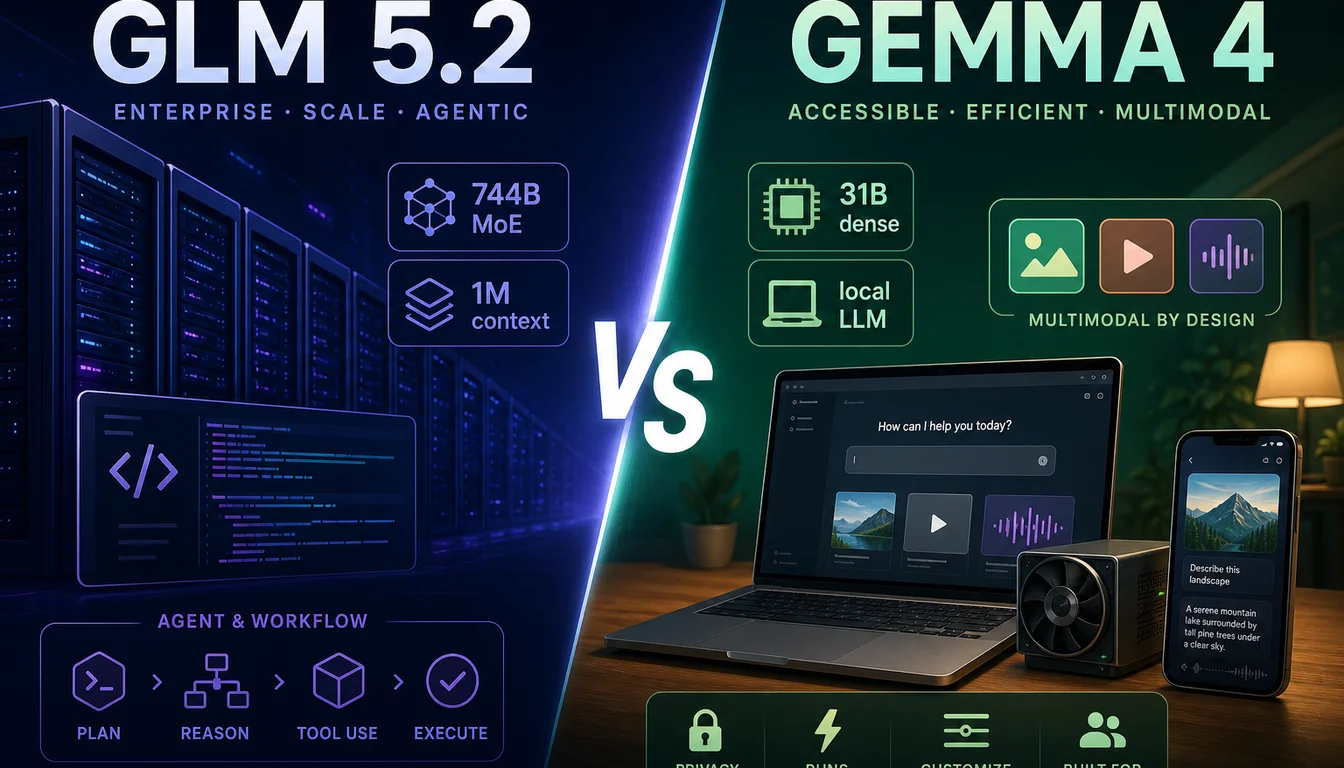
GLM 5.2 and Gemma 4 are both open-weights models released in 2026, both with strong coding performance, and both available for free self-hosting. That is roughly where the similarities end. GLM 5.2 is a 744-billion-parameter giant built for long-horizon software engineering with a 1-million-token context window. Gemma 4 is a family of five models — from a 3 GB phone model to a 20 GB workstation model — designed to run on consumer hardware without a data center. Choosing between them is mostly a question of what hardware you have and what you need the model to do.
Key Differences at a Glance
| GLM 5.2 | Gemma 4 31B | Gemma 4 26B A4B | |
|---|---|---|---|
| Architecture | 744B MoE (~40B active) | Dense | 26B MoE (~4B active) |
| Context window | 1,000,000 tokens | 256,000 tokens | 256,000 tokens |
| Minimum VRAM (Q2/Q4) | ~245 GB | ~17.5 GB | ~14.4 GB |
| Audio input | No | No | No |
| Image / Video input | No | Yes | Yes |
| License | MIT | Apache 2.0 | Apache 2.0 |
| API price (input) | $1.40/MTok (Z.ai) | Free (self-hosted) | Free (self-hosted) |
| API price (output) | $4.40/MTok (Z.ai) | Free (self-hosted) | Free (self-hosted) |
| Hosted API | Yes (Z.ai, OpenRouter) | Yes (Google AI Studio) | Yes (Google AI Studio) |
| Local minimum | M4 Ultra / multi-GPU | RTX 3090 (24 GB) | RTX 3060 (16 GB) |
Benchmark Comparison
Scores below are from official model cards and publicly available evaluations.
| Benchmark | GLM 5.2 | Gemma 4 31B |
|---|---|---|
| SWE-bench Verified (coding) | 69.3% | ~55%* |
| LiveCodeBench v6 | ~78% | 80.0% |
| AIME 2026 (math) | ~87% | 89.2% |
| GPQA Diamond (science) | ~80% | 84.3% |
| MMLU Pro (knowledge) | ~84% | 85.2% |
| Context window | 1M tokens | 256K tokens |
*Gemma 4 31B SWE-bench not officially reported; estimate based on LiveCodeBench relative performance.
What the numbers mean in practice: GLM 5.2 was purpose-built for agentic software engineering — long multi-file tasks, whole-codebase context, agent loop workflows. Gemma 4 31B is a more generalist model that is competitive across math, science, and coding. For pure coding quality, GLM 5.2 holds a meaningful lead on SWE-bench. For reasoning breadth, the models are close. For multimodal tasks involving images or video, Gemma 4 wins outright — GLM 5.2 has no vision capability.
Hardware: The Biggest Practical Difference
This is where the models diverge most sharply.
GLM 5.2 hardware
GLM 5.2's full 744B weights must reside in memory even though only ~40B activate per token. The minimum practical local setup is a 256 GB unified memory Mac (M4 Ultra) or a workstation with multiple GPUs and 256+ GB of combined VRAM and system RAM. A single RTX 4090 (24 GB VRAM) cannot fit the model alone — it would need CPU offloading with 256 GB+ system RAM, resulting in very slow generation.
| Quantization | Disk size | Minimum memory |
|---|---|---|
| 2-bit (UD-IQ2_M) | ~239 GB | 256 GB unified |
| 4-bit (UD-Q4_K_XL) | ~411 GB | 500+ GB |
| FP16 | ~1,510 GB | Data center only |
Gemma 4 hardware
Any of the five Gemma 4 models fits on consumer hardware — from a phone to a workstation.
| Model | Q4 memory | Practical target |
|---|---|---|
| E2B | ~2.9 GB | Phone / Raspberry Pi |
| E4B | ~4.5 GB | MacBook Air (8 GB) |
| 12B | ~6.7 GB | 8 GB GPU / 16 GB unified |
| 26B A4B | ~14.4 GB | RTX 3060 / 16 GB unified |
| 31B | ~17.5 GB | RTX 3090 / 24 GB |
Cost Comparison
Hosted API
If you are using the API rather than running locally:
| Model | Input | Output |
|---|---|---|
| GLM 5.2 (Z.ai) | $1.40/MTok | $4.40/MTok |
| GLM 5.2 (OpenRouter) | $1.00/MTok | $4.00/MTok |
| Gemma 4 31B (Google AI Studio) | Free (rate limited) | Free (rate limited) |
| Gemma 4 via Vertex AI | ~$0.70/MTok | ~$2.10/MTok |
For high-volume production, GLM 5.2 is substantially cheaper than competing closed models (roughly 1/6 of GPT-5.5 output pricing), but Gemma 4 available free via Google AI Studio for development and low-volume use.
Self-hosted
Both models are free to download and run with no per-token cost. The hardware capital expenditure differs dramatically: Gemma 4 31B needs one RTX 3090; GLM 5.2 needs an M4 Ultra or a multi-GPU rig costing $10,000–$15,000 at minimum.
Use Case Decision Guide
Choose GLM 5.2 if:
- Your primary task is agentic software engineering — long multi-step coding tasks, autonomous code review, SWE-bench-style workflows
- You need to pass full codebases as context (GLM 5.2's 1M token window fits large repos in a single call; Gemma 4's 256K is more limited)
- You have the hardware for it (or are comfortable paying the Z.ai API rate) and want the best open-weights coding model available
- You need MIT licensing for maximum commercial and redistribution flexibility
Choose Gemma 4 if:
- You want to run the model on consumer hardware — a MacBook, an RTX 3090, or even a phone
- Your use case involves image, video, or audio understanding (GLM 5.2 has no vision capability at all)
- You prefer the Google ecosystem — AI Studio, Vertex AI, Ollama, LM Studio
- You want the E4B or 12B models for fast edge deployment with audio support
- You are building applications for end users and need hardware-affordable local inference
Choose Gemma 4 26B A4B specifically if:
- You want near-31B quality at 4B compute cost on a 16 GB consumer GPU
Context Window: When 1M vs 256K Actually Matters
GLM 5.2's 1M token context is a genuine technical distinction, but it matters most for specific workflows:
- Whole-repo indexing: A 1M window lets you dump a large codebase into context directly. Gemma 4's 256K fits most individual projects but not very large monorepos.
- Long document analysis: Legal contracts, research papers, extensive logs — GLM 5.2 handles these without chunking.
- Multi-agent conversation history: Long agentic loops with many tool calls benefit from the larger context.
For most users generating code, answering questions, or processing individual files, 256K is already more context than they need. Do not choose GLM 5.2 solely for the context number unless your workflow actually hits the 256K ceiling.
Running Both: A Practical Setup
Some developers run both models for different purposes:
- GLM 5.2 via Z.ai API for long-context agentic coding tasks where per-token cost is acceptable
- Gemma 4 26B A4B locally for rapid iteration, image analysis, and fast offline work where latency matters
The two models are complementary rather than directly competing for most workflows.
Frequently Asked Questions
Is GLM 5.2 better than Gemma 4? For long-horizon software engineering and 1M-context tasks, GLM 5.2 scores higher on SWE-bench. For multimodal tasks (image, video, audio), Gemma 4 is the only option — GLM 5.2 has no vision support. On pure language benchmarks (math, science, general knowledge), the models are close, with Gemma 4 31B slightly ahead on AIME and GPQA.
Can I run both locally? GLM 5.2 requires a minimum of 256 GB unified memory. Gemma 4 runs on any consumer GPU with 8–24 GB VRAM. Most developers who want both will run Gemma 4 locally and access GLM 5.2 via the Z.ai API.
Which has better Ollama support?
Gemma 4 is fully supported in Ollama with standard tags (ollama run gemma4:31b). GLM 5.2 is available in Ollama via the glm-5.2:cloud tag, which routes to Z.ai's hosted inference rather than running locally.
Which should I use for a coding assistant? For a local coding assistant on consumer hardware: Gemma 4 26B A4B at 4-bit is the best balance of quality and VRAM. For an agentic coding setup where you can tolerate API costs or have the hardware for GLM 5.2: GLM 5.2 is ahead on benchmark tasks that involve large context and multi-step code generation.
Which license is better for commercial use? Both are permissive. GLM 5.2 uses MIT (maximum flexibility). Gemma 4 uses Apache 2.0 (also commercial-friendly with attribution). Neither imposes usage volume limits or requires royalties.
Related guides
- Gemma 4 model comparison: E2B vs E4B vs 12B vs 26B A4B vs 31B
- GLM 5.2 review: benchmarks, strengths & weaknesses
- Gemma 4 full review and benchmarks
- GLM 5.2 hardware requirements for local inference
- Gemma 4 hardware requirements
- How to run GLM 5.2 in Ollama
- How to run Gemma 4 with llama.cpp
- Try Gemma 4 free in your browser
Related guides
Continue through the Gemma 4 cluster with the next guide that matches your current decision.

Gemma 4 A4B vs E4B: What the Names Actually Mean and Which to Run
E stands for effective parameters, A stands for active parameters. They describe completely different architectures. Here is how to pick the right one for your machine.

Gemma 4 26B vs 31B: Which Model Should You Run?
A practical Gemma 4 26B vs 31B comparison for people deciding between the MoE sweet spot and the strongest dense model in the family.

Gemma 4 E2B vs E4B: Which Small Model Should You Choose?
A practical Gemma 4 E2B vs E4B guide for people choosing between the two small models, with real benchmark gaps and memory guidance.
Still deciding what to read next?
Go back to the guide hub to browse model comparisons, setup walkthroughs, and hardware planning pages.